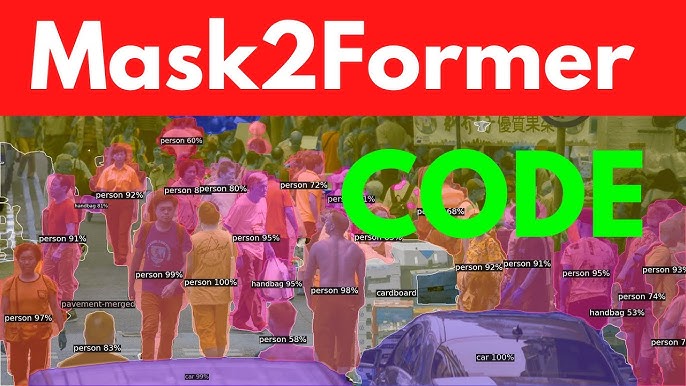

The Mask2Former model represents a significant leap in computer vision, offering a unified framework for tasks like semantic, instance, and panoptic segmentation. Designed to handle complex image segmentation challenges, it leverages transformer-based architectures to achieve state-of-the-art performance. Training this model requires a blend of technical expertise, computational resources, and a clear understanding of its architecture. Whether you’re a researcher or a machine learning enthusiast, mastering Mask2Former training can unlock powerful capabilities for image analysis.
Understanding the model’s requirements is key to successful training. Mask2Former builds on the strengths of its predecessor, MaskFormer, by incorporating advanced transformer modules and a flexible loss function. This allows it to generalize across various segmentation tasks with high accuracy. Preparing the right dataset, configuring the environment, and fine-tuning hyperparameters are critical steps that demand attention to detail and a structured approach to ensure optimal results.
This guide provides a comprehensive roadmap for training the Mask2Former model, covering everything from setup to evaluation. By following these steps, you can harness the model’s potential for your specific use case, whether it’s autonomous driving, medical imaging, or object detection. With practical insights and actionable advice, this article will help you navigate the complexities of training Mask2Former effectively and efficiently.
Preparing Your Environment for Mask2Former Training
Setting Up the Hardware
Training Mask2Former demands robust hardware due to its computational intensity. A high-end GPU, such as an NVIDIA A100 or RTX 3090, is recommended to handle the model’s transformer-based architecture. At least 32GB of GPU memory is ideal for large datasets, while 64GB of RAM ensures smooth data preprocessing. Ensure proper cooling systems to prevent overheating during extended training sessions. Cloud platforms like AWS or Google Cloud can be viable alternatives if local hardware is insufficient.
Installing Required Software
The software stack for Mask2Former includes Python 3.8+, PyTorch, and CUDA for GPU acceleration. Install the Detectron2 framework, as Mask2Former is built on it, ensuring compatibility with your PyTorch version. Use pip or conda to manage dependencies like NumPy, OpenCV, and torchvision. Clone the official Mask2Former repository from GitHub to access the latest code. Verify installations by running sample scripts to confirm the environment is correctly configured.
Configuring the Development Environment
A well-organized development environment streamlines the training process. Create a virtual environment using venv or conda to isolate dependencies and avoid conflicts. Set up a project directory with clear folders for datasets, models, and logs. Install Jupyter Notebook for interactive experimentation and debugging. Ensure your IDE, such as PyCharm or VS Code, supports Python debugging and version control integration for efficient workflow management.
Curating and Preprocessing the Dataset
Selecting an Appropriate Dataset
Choosing the right dataset is crucial for effective Mask2Former training. Datasets like COCO, Cityscapes, or ADE20K are commonly used due to their rich annotations for segmentation tasks. Ensure the dataset aligns with your target task, whether semantic, instance, or panoptic segmentation. Verify that annotations include pixel-level masks and category labels. Custom datasets can be used but require consistent formatting to match Mask2Former’s input requirements.
Preprocessing the Data
- Normalize images to a consistent resolution, typically 512×512 or 1024×1024, to optimize model performance.
- Augment data with techniques like flipping, rotation, or color jittering to improve model robustness.
- Convert annotations to the COCO format, ensuring compatibility with Detectron2’s data loader.
- Split the dataset into training (80%), validation (10%), and test (10%) sets for balanced evaluation.
- Check for missing or corrupted files to avoid errors during training.
Handling Data Imbalances
Imbalanced datasets can skew model performance, especially in segmentation tasks with rare classes. Apply techniques like oversampling minority classes or using weighted loss functions to address imbalances. Tools like Albumentations can help generate synthetic data for underrepresented categories. Analyze class distribution before training to identify potential biases. Regularly validate the dataset to ensure it represents the real-world scenarios the model will encounter.
Understanding Mask2Former’s Architecture
Transformer-Based Backbone
Mask2Former uses a transformer-based backbone, typically a Swin Transformer or ResNet, to extract rich feature representations. The backbone processes input images into hierarchical feature maps, capturing both local and global context. This enables the model to handle complex scenes effectively. Familiarize yourself with the backbone’s configuration, as it impacts training speed and accuracy. Pretrained weights from ImageNet or COCO can accelerate convergence during training.
Mask Prediction Module
The mask prediction module generates class-agnostic binary masks and corresponding class probabilities. It leverages transformer decoder layers to refine mask predictions iteratively. Understanding this module is essential for tuning the number of queries and attention heads. The module’s flexibility allows it to adapt to different segmentation tasks. Study the official documentation to grasp how mask queries interact with feature maps for optimal performance.
Loss Function and Optimization
Mask2Former employs a composite loss function, combining cross-entropy for classification and dice loss for mask prediction. This ensures precise segmentation boundaries and accurate class assignments. The AdamW optimizer is typically used, with a learning rate scheduler to adjust training dynamics. Experiment with loss weights to balance classification and mask prediction performance. Monitor loss curves during training to detect issues like overfitting or underfitting early.
Configuring Hyperparameters for Training
Setting Learning Rate and Batch Size
- Start with a learning rate of 1e-4, adjusting based on model convergence and dataset size.
- Use a batch size of 4–16, depending on GPU memory, to balance speed and stability.
- Implement a learning rate scheduler, such as polynomial decay, for smoother training.
- Monitor gradient clipping to prevent exploding gradients during backpropagation.
- Test different configurations on a small dataset subset to find optimal values.
Choosing the Number of Epochs
- Train for 50–100 epochs for standard datasets like COCO, adjusting based on convergence.
- Use early stopping if validation loss plateaus to avoid overfitting.
- Larger datasets may require more epochs to capture complex patterns.
- Save checkpoints every 5–10 epochs to recover from potential training interruptions.
- Evaluate model performance on the validation set to determine the ideal stopping point.
Tuning Transformer-Specific Parameters
- Adjust the number of transformer queries (e.g., 100–200) based on object density in images.
- Set the number of attention heads to 8 or 16 for balanced feature extraction.
- Experiment with dropout rates (e.g., 0.1–0.3) to prevent overfitting in transformer layers.
- Use pretrained backbone weights to initialize the model for faster convergence.
- Fine-tune the decoder layers to adapt to your specific segmentation task.
Training the Mask2Former Model
Initializing the Training Pipeline
- Load pretrained weights from the Mask2Former repository to reduce training time.
- Configure the training script using Detectron2’s DefaultTrainer for streamlined setup.
- Specify dataset paths and model configurations in a YAML file for reproducibility.
- Set up logging to track metrics like loss, accuracy, and IoU during training.
- Run a small-scale test to verify the pipeline before full-scale training.
Monitoring Training Progress
- Use TensorBoard or Weights & Biases to visualize loss curves and metrics in real time.
- Check for overfitting by comparing training and validation performance regularly.
- Monitor GPU utilization to ensure efficient resource usage during training.
- Save intermediate checkpoints to recover from crashes or experiment with different epochs.
- Analyze per-class IoU to identify underperforming categories for targeted improvements.
Handling Training Challenges
- Address vanishing gradients by adjusting the learning rate or using gradient clipping.
- Mitigate memory issues by reducing batch size or using mixed precision training.
- Debug data pipeline errors by validating dataset formats and preprocessing steps.
- Handle class imbalances by adjusting loss weights or applying data augmentation.
- Restart training from checkpoints if interruptions occur, ensuring continuity.
Evaluating and Fine-Tuning the Model
Measuring Model Performance
Evaluating Mask2Former involves metrics like mean Intersection over Union (mIoU) and Average Precision (AP). Use the validation set to compute these metrics after each epoch. For panoptic segmentation, calculate the Panoptic Quality (PQ) score to assess combined segmentation and recognition performance. Visualize predictions to identify qualitative issues like incorrect boundaries or misclassifications. Compare results against baselines to gauge improvements and ensure reliability.
Fine-Tuning for Specific Tasks
Fine-tuning adapts Mask2Former to specialized tasks like medical imaging or autonomous driving. Adjust the learning rate to a lower value (e.g., 1e-5) for fine-tuning to preserve pretrained weights. Retrain only the decoder layers if the task closely resembles the pretraining dataset. Incorporate task-specific augmentations to enhance robustness. Evaluate fine-tuned models on a holdout test set to confirm performance gains and generalization.
Iterating Based on Results
Iterative improvement is key to optimizing Mask2Former. Analyze evaluation metrics to identify weak areas, such as low IoU for specific classes. Adjust hyperparameters, like loss weights or transformer queries, based on performance gaps. Retrain with modified data augmentations if the model struggles with certain scenarios. Document all changes to track what works best. Repeat the training-evaluation cycle until the desired performance is achieved.
Conclusion
Training the Mask2Former model is a rewarding journey that combines technical precision with creative problem-solving. By carefully preparing your environment, curating datasets, and tuning hyperparameters, you can unlock its full potential for advanced segmentation tasks. Monitoring progress and iterating based on evaluation metrics ensure consistent improvements. Whether for research or real-world applications, mastering Mask2Former equips you with cutting-edge tools to tackle complex computer vision challenges with confidence and expertise.